AI INVENTORY · LAYER 1
Find every AI in the company.
Register it. Classify the risk.
The first compliance question and the first cost question are the same: what AI is actually running here? The outer sphere of the Kosmoy model finds the answer — across systems you run, systems you bought, and agents that live on someone else's platform.
Customer-hosted on Kubernetes, in your cloud or on premises. For enterprise teams managing AI across business units.
In the demo: Review AI systems, models and agents with owners, risk and lifecycle state.
Or email sales@kosmoy.com.
Most large enterprises don’t have a clean inventory of their AI today. Pilots in different business units. Agents on Azure AI Foundry or Bedrock. AI features inside SaaS tools. Developer coding agents. Pilots that quietly went to production. The team responsible for governance is the last to know.
The EU AI Act and ISO/IEC 42001 both make inventory and risk classification the precondition for everything else. Kosmoy starts there: one AI registry for the enterprise — five registries, one source of truth, internal and external. Plus a risk classification module built on the EC AI Office’s compliance checker (March 2026), customised for the enterprise.
Once the inventory is real, every other layer of the platform has something to govern. Until then, governance is a PDF and a spreadsheet.
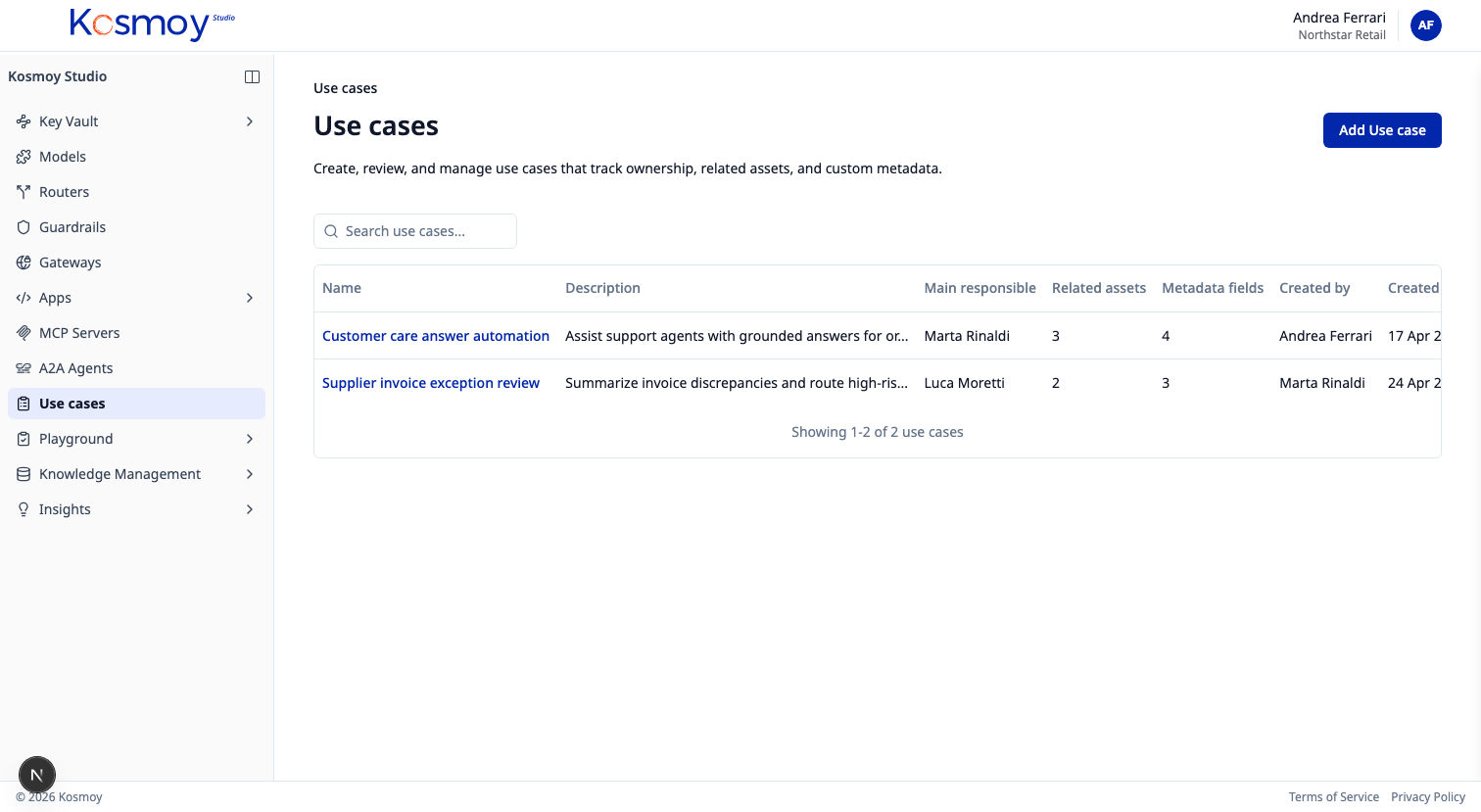
Five registries
One source of truth.
AI Use Case Registry
Every AI initiative — idea, pilot, production. Owner, sponsor, business process, autonomy level, data classes, jurisdictions. The record stays alive as the system ships and runs.
AI Systems Registry
Systems that integrate one or more AI models — chatbots, RAG systems, custom apps, embedded SaaS AI. Captures the system as a whole, not just its parts.
Model Registry
LLMs, SLMs, embedding models, fine-tuned models. Provider, version, deployment mode, approval state, allowed use cases.
Agent Registry
Internal and external agents. Agents in Action Capsules. Agents on Azure AI Foundry, Bedrock, Vertex AI, Salesforce, ServiceNow. Rolls up into the Agents Master Registry.
MCP Server Registry
Approved MCP servers. Capabilities exposed, access rules, log requirements. Internal MCP servers and public ones.
Inventory covers what you don’t run, too.
For agents you run inside an Action Capsule, you get the full set — inventory, observability, guardrails, routing, kill switch. For agents on someone else’s platform you get inventory and AI Act risk classification, plus basic observability where the upstream platform exposes telemetry. Same dossier. Two depths of control.
EU AI Act
From qualification to obligations.
The risk classification module sits on top of the registries. Qualification → System info → Operator role → Risk class → Obligations. Built on the structure of the EC AI Office compliance checker, customised for the enterprise.
Inspect the control boundary
Check the inventory against what is actually running.
An inventory is only useful if a reviewer can take a platform's own agent list, find each agent in the registry and see who owns it. Run that check on one business process before you count anything.
Inventory acceptance test for one business process
| Test | What to check | What it depends on |
|---|---|---|
| Reconcile one source | Every agent exported from a connected platform appears once in the registry, matched to an approved use case or flagged as shadow AI. | Connector credentials and the fields the source API exposes. Platforms without an API need manual registration, labeled as such. |
| Close the gaps | Find the records with no owner, purpose or risk tier, and assign them instead of counting them. | An agreed rule for who owns a record, and what happens when that person leaves. |
| Change and retire | Rename or retire a record at the source, then check how the registry shows it and that its history, risk class and evidence are kept. | Each connector's refresh interval, and how a source that stops refreshing is shown. |
The registries record systems, owners, relationships and decisions. They do not intercept traffic; the AI Gateway and Action Capsules do that. Approval for production stays a decision your reviewers make, and the registry records it.
Load your current inventory into the registries
Bring an anonymized copy of the spreadsheet you use today. We import it into the Use Case and AI Systems registries and show which owners, risk tiers and links are missing.
Validate a synthetic inventory with missing-owner and stale-source casesModule questions, answered straight.
What is an AI registry?
An AI registry is the enterprise's inventory of everything AI it runs or uses — systems, models, agents and MCP servers — each with an owner, a state and a risk tier. Kosmoy's AI registry is five registries with one source of truth: use cases, AI systems, models, agents (internal and external) and MCP servers.
Why is inventory the outermost sphere?
Because you can't observe, govern, or contain what you don't know exists. The AI Act and ISO/IEC 42001 both put inventory and risk classification first.
Does Kosmoy actually find AI we don't know about?
On connected platforms, yes. The Agents Master Registry connectors pull each platform's own registry — Azure AI Foundry, AWS Bedrock, Google Vertex AI, Salesforce, ServiceNow — into one master list and match every agent against the approved use-case registry; unmatched agents are flagged as shadow AI. Beyond connected platforms, every team registers what it builds or uses through one form, and those records link to runtime evidence as the system operates.
Can we import an existing AI inventory spreadsheet?
Yes. CSV import is supported on the Use Case Registry and the AI Systems Registry. Field mapping is configurable.
How does external-agent inventory stay in sync?
The Agent Registry has connectors that pull agent metadata from supported external platforms — Azure AI Foundry, AWS Bedrock, Google Vertex AI, Salesforce, ServiceNow — with the library expanding each release. Inventory stays in sync within the limits of what those platforms expose. For platforms with no API, agents are entered manually and tagged accordingly.
Does the inventory satisfy ISO/IEC 42001?
ISO/IEC 42001 requires an organisation to maintain an inventory of AI systems, document their purpose and risk, and operate a management system around them. Kosmoy provides the registry, the risk classification, and the operational evidence. The organisation still owns the management system itself — Kosmoy supplies the substrate.
Enterprise proof
Built for environments where AI cannot become another unmanaged SaaS silo.
Kosmoy works with regulated and operationally critical organizations, including Banca d’Italia and Leonardo.


- Runs in your Kubernetes
- Azure · AWS · GCP · on-prem
- LLM · MCP · A2A
- No mandatory vendor-hosted control plane
See the AI Inventory in action.
Walk through the five registries and the AI Act risk classification module with someone who built them.
Or email sales@kosmoy.com.