AI INVENTORY · MCP SERVER REGISTRY
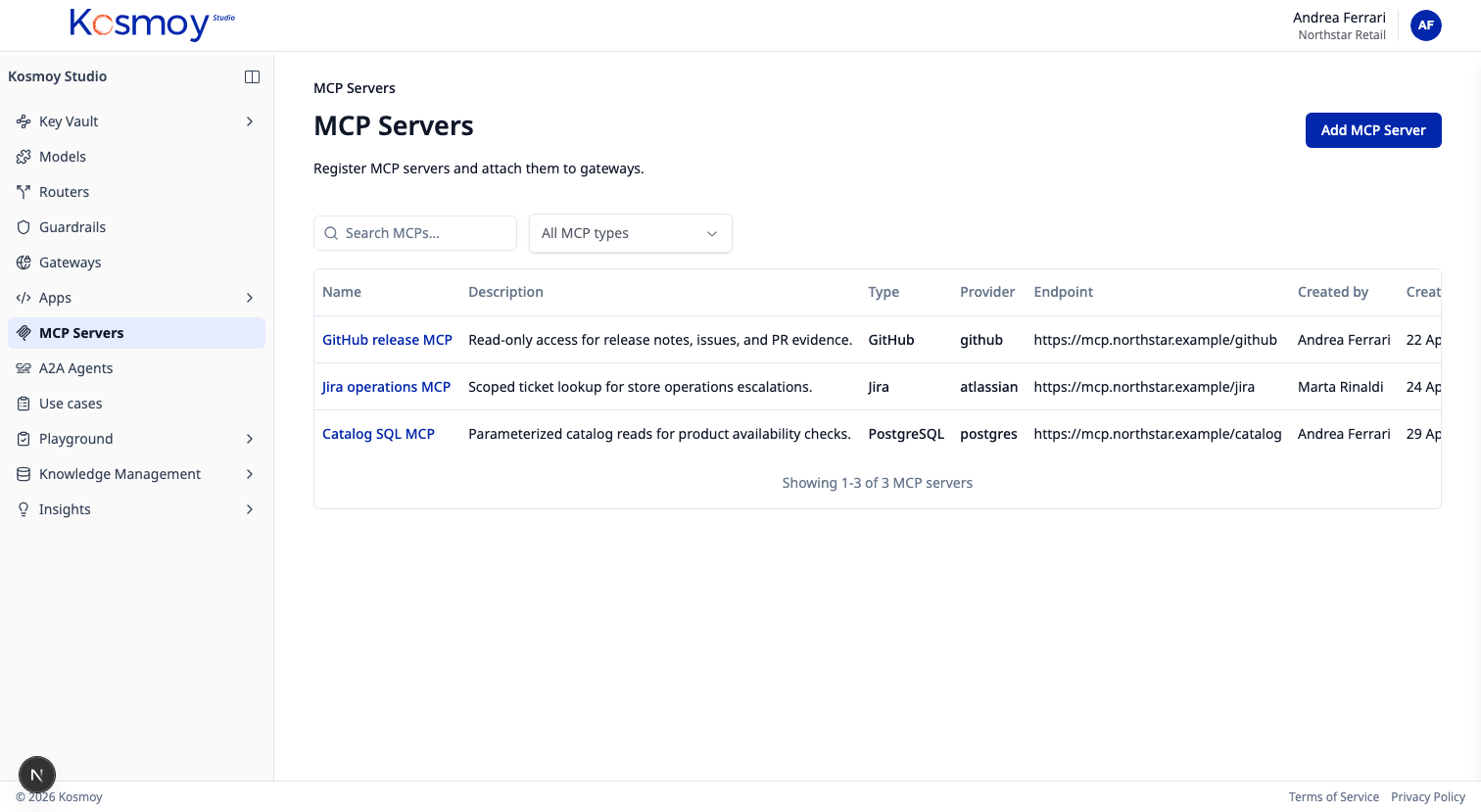
Every MCP server in your company, in one register.
Public MCP servers and private ones. Tools exposed, access rules, log requirements, runtime link.
Or email sales@kosmoy.com.
The MCP Server Registry catalogs which MCP servers your apps and agents are allowed to call, which tools each one exposes, and who’s authorised to use them.
The MCP Gateway enforces what the Registry declares. Internal MCP servers can also run inside Action Capsules for full containment.
What it does.
Public + private
Vendor-hosted and in-house MCP servers in the same registry.
Exposed tools
List of tools each server publishes, with descriptions and access rules.
Approval state
Draft → approved → deprecated → retired. Every change captured.
Access scope
Per-app and per-agent permissions on which servers and tools they can call.
Logging requirements
Per-server log policy — what to record, where to ship it, retention.
Runtime link
Internal MCP servers running in a Capsule connect to their Capsule entry.
Module questions, answered straight.
Public MCP servers, private, or both?
Both. Public MCP servers (vendor-hosted) and private MCP servers (running inside your environment) live in the same registry, with the same approval state and access rules.
How does the Registry connect to the MCP Gateway?
The Registry holds the metadata; the MCP Gateway enforces it. Approved MCP servers, exposed tools and access rules from the Registry feed the policy that the Gateway applies on every call.
Can internal MCP servers run inside an Action Capsule?
Yes. An internal MCP server can run as a contained runtime inside a Kosmoy Action Capsule, paired with a Gateway as the only egress.
Enterprise proof
Built for environments where AI cannot become another unmanaged SaaS silo.
Kosmoy works with regulated and operationally critical organizations, including Banca d’Italia and Leonardo.


- Runs in your Kubernetes
- Azure · AWS · GCP · on-prem
- LLM · MCP · A2A
- No mandatory vendor-hosted control plane
See the MCP Server Registry.
Walk through public + private servers, tools, access rules and logging.
Or email sales@kosmoy.com.